
01 — SITUATION
Event coordinators run live events across calls, texts, radios, and group chats at the same time. Every channel demands its own slice of attention, and the coordinator is the only place where all of it comes together. Our research put a name on the cost: cognitive overload, at the exact moment when every decision is irreversible.
A live event cannot be paused and rerun. When a message gets missed, the failure lands in front of guests and donors, and it compounds. Coordinators absorb that risk with their own memory, because no existing tool carries it for them.
Besides that, fast decision-making and sharing information are the main requirements; however, due to scattered communication across different platforms and modalities, it's challenging for them to keep track of different tasks and effectively follow up on them.
Preserve the speed and flexibility of voice
Turn open issues into persistent, actionable tasks.
Keep the AI transparent and under human control.
02 — THE RESULTS
I designed the three headline features in the final product. Each one answers a specific finding from our research.
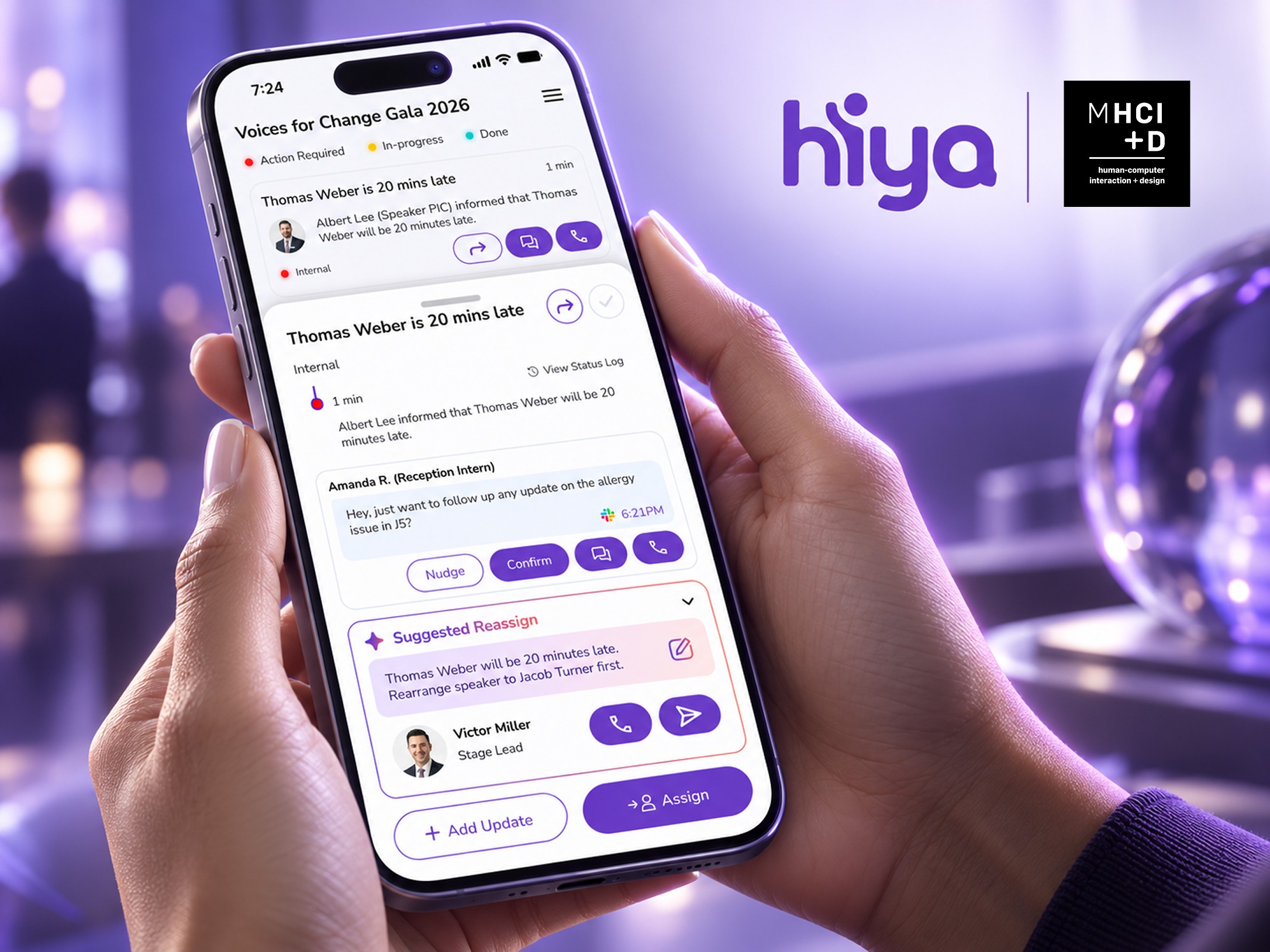
The Reassign flow. When the first person doesn't pick up, the AI suggests who's next.
AI routing and reassign. This answers the moment when the first person doesn't respond and the coordinator has to figure out who's next while everything else is still on fire. The AI suggests the right next person, and the coordinator stays in control of the send. One participant described the exact failure this replaces:
"She ended up in a dead spot in this big old conference room, and she wasn't getting any of my texts or calls."
Participant 01
A pre-drafted reply, written for the recipient, sent in one tap.
AI suggested message. In research, coordinators told us they adapt how they speak to every different stakeholder, and that adaptation costs them attention. The pre-drafted reply carries the tone work so the coordinator only has to approve it. In round one testing, a participant also told us that on the floor, surrounded by guests, they'd rather text than speak, for less disruption and more guest privacy. That single comment validated the premise of this feature.
The task ticket. Context travels with the task, so nobody has to hold it in memory.
Context carrying. The task ticket, the bottom sheet, and the status log answer the memory burden we found in research: chasing down what's stalled and what's finished. The status of every request lives on the task itself, so the coordinator checks a card instead of their memory.
03 — RESEARCH
Research documentations: field observations and user interview
We did 5 pilot interviews, 2 field observations, and 9 formal interviews. I pushed the team to add the field observations alongside the user interview. My argument came from Don Norman's activity-centered design: what coordinators say they do and what they actually do under pressure are different things, and in pilot interviews they were recalling coordination calmly, from memory, after the fact. So we watched them work at an academic research showcase and a UX conference.
They work under constant time pressure
Coordinators manage multiple roles at once
The event environment itself disrupts them
Their communication tools fragment the information they depend on
I led the synthesis, and I had to persuade my team three times. Everything on the surface said the tools were bad: dropped networks, unanswered calls, scattered messages. I didn't believe that was the real problem. I argued those were symptoms, and I kept bringing the analysis back until we agreed on the root cause: cognitive overload. Coordinators experience it when unstable information, time pressure, social expectations, uneven availability, and environmental constraints make it hard to keep people and decisions aligned in real time.
The competitor gap made the opportunity plain. Every AI tool in this space works after the call, and nothing helps during the event, which is the only moment that matters when the event is live and irreversible.
One participant said the thing that became the hinge of the entire project:
Participant 04
04 — EARLY EXPLORATIONS
We each sketched on our own and designed how it would work, then discussed which features could actually solve the coordinators' constraints.
05 — CONCEPT DEVELOPMENT
A faster path for urgent request
Live Channel merged voice and text into one stream. Audio became a text message, text became an audio message, and spoken and typed words landed together in real time.
Before:
Voice (Call) and Text (Message) lived in separate channels. Voice communication were the fastest but also the easiest to lose. Text communication get buried in threads and missed in the moment.
After the Concept:
Our Live Channel puts both in one place: audio is now also text message, and text is also an audio message. Spoken and typed messages land together in real time, from one person or group to another.
An escalation path for when someone doesn't respond
When the first contact was unavailable, AI routing surfaced the next person. This way we solved the communication loop.
Before:
When the first point of contact is unavailable, ECs have to manually figure out who to reach out to next, then rely on memory to chase down every assigned task, what's stalled and what's actually finished.
After the Concept:
Our concept reduces that decision making step with AI powered routing that surfaces the next person. Routing happens in a single flow and task status stays visible, so the loop closes and nothing falls through the cracks.
A notification that carries enough context to act on
The home screen turns every group into an AI summary, and an incoming urgent call lands right there with the message readable. The coordinator can judge what it is and join the call without opening a single thread.
Before:
An urgent update arrives as a missed call or a text buried in a thread. The coordinator has to dig just to find out if it matters.
After the Concept:
The update shows up on the home screen with its content visible, so the coordinator can act on it in one glance.
A visible answer to the question coordinators kept asking "is anyone actually on this?"
The live channel shows the task, who joined, and every reply as it lands. When the team finishes, the AI announces the task is complete inside the same thread.
Before:
After handing off a task, the coordinator chases confirmation from memory. "Did you get my message?" "Is it done yet?"
After the Concept:
Who joined, who responded, and when it's done all live in one thread, so ownership is visible without asking.
06 — THE PIVOT
Trade offs
Limited context preservation for anyone who isn't the coordinator.
Outcome
Keep their current workflow, which is using ordinary calls and texts.
It was our voice-first concept, spoken and typed messages syncing into one live stream, and it was the more novel idea. We liked it more. But it only worked if everyone at the event adopted a new tool, and event staff will not adopt a new tool mid-shift. A concept that depends on behavior change from people who have no time to change is not a concept. It's a wish.
So we rebuilt around task threads that sit on top of the calls and texts people already use, and nobody has to change how they communicate.
What survived was Loop core: closing the task loop, preserving context when a task gets forwarded, and AI-suggested routing. Which is exactly what P04 had asked for months earlier: keep the workflow, fix the tool. The decision to not moving forward with Live Channel was the moment we finally took that quote literally.
We moved forward with these ideas:
07 — USABILITY TESTING AND ITERATIONS
1st Round of Usability Testing
Scenario 1
A speaker is running late and won't be ready for the stage: get the right person on it, stop when you're confident it's owned.
Scenario 2
A donor brought his daughter unexpectedly and she has a severe shellfish allergy: food is served in 10 minutes and you can't leave your post.
V1: What worked well
The task ticket layout is fast to scan

AI suggestions lower coordinator's cognitive load

All coordinators placed a call within Hiya Hub without help

V1: What needs improvement

Opening the app felt overwhelming
"I am wondering if 'on-going discussion' is necessary, it makes me overwhelmed."
Participant 04
"There was too much information on the dashboard…"
Participant 05

The labels didn't mean what we thought they mean
"If someone hasn't responded, I will just call instead of 'nudge' them."
Participant 03
"Pending and in-progress sounded the same, and reroute sounded like maps and driving when the button actually hands work to a person.
Participant 05
v1: What changed
Reroute became Reassign, because P05 said 'reroute' sounded like driving directions rather than handing work
Pending became Action Required, because P05 read pending and in-progress as the same state.
Filtering by group was added, because P04 and P05 both wanted to find tasks by topic.
A message action was added alongside nudge, because P04 said nudge doesn't help when someone is unresponsive. Being able to text is more important than nudge
The on-going discussion panel was cut from the dashboard, because it was the element participants named when they described feeling overwhelmed.
ONE HONEST CAVEAT
The first round of usability testing was in-network, and in-network testers are generous. To reduce bias, we recruited outside our circle for the second round.
2nd Round of Usability Testing

V2: What worked well
The status system matched how coordinators already track an event and removed the follow-up loop

Suggestions carried the most weight under load

V2: What needs improvement

Coordinators had to leave the Status Log to act on it
"To have just one place where I could call, text message, forward messages... in one place is a lot easier than having to toggle back and forth."
Participant 01
"Being able to check a status log really quick before... I have to go and look into my separate software."
Participant 02
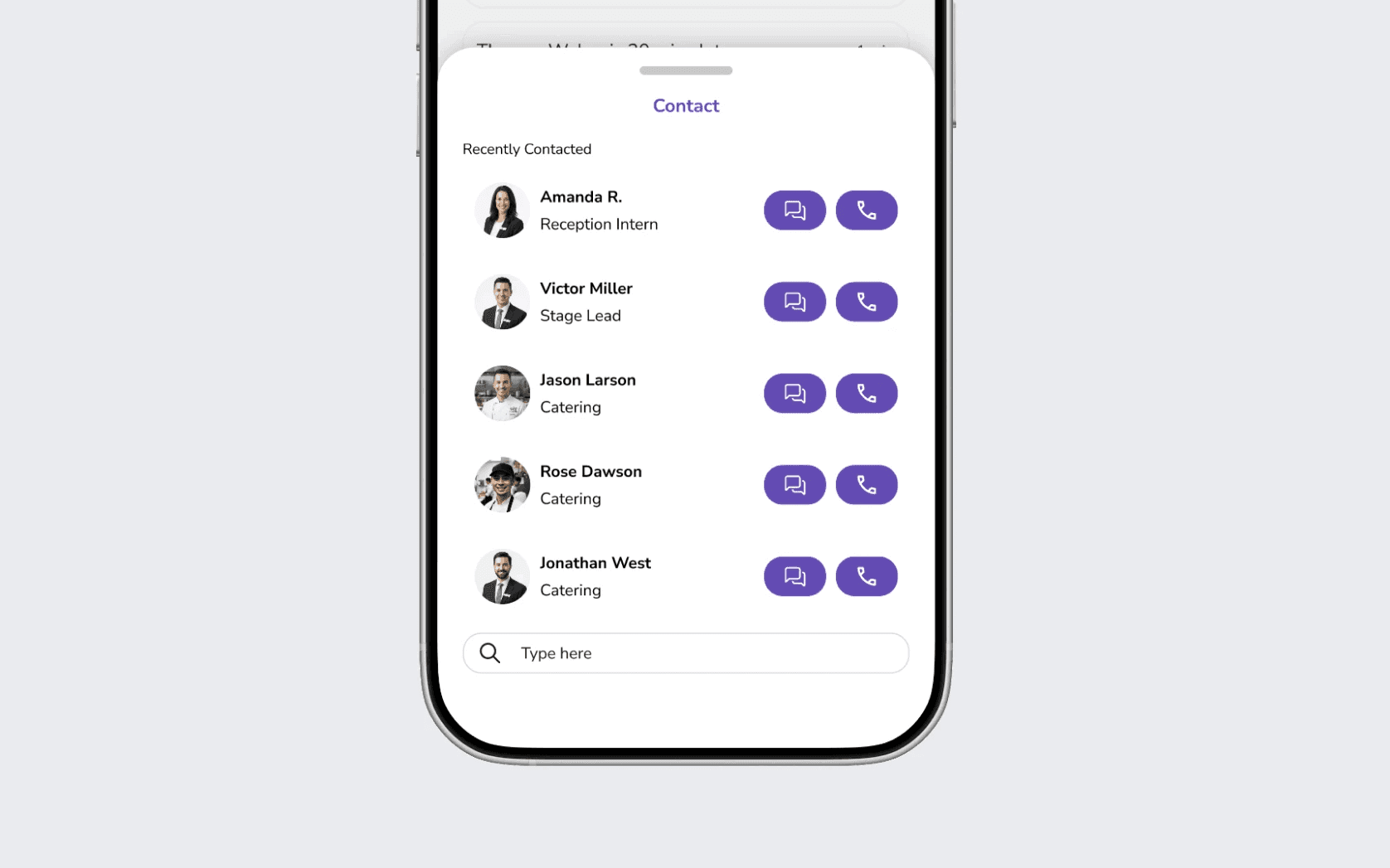
Coordinators wanted filter by group in contact search.
All four coordinators asked for filter by group in contact search.
08 — FINAL SHOWCASE
The team were presenting in public showcase attended by 150+ people.
09 — NEXT STEPS
01
Finish the remaining features and implement the AI logic behind them
02
Build and test onboarding, so a first-time user can learn the app without extra help.
03
stress test during a real live event, under real chaos, with real stakes.
10 — REFLECTION
LEARNING 1: THE PIVOT
The pivot taught me that liking an idea is not evidence for it. Live Channel was the concept I would have defended at a critique, and the adoption problem killed it anyway. What I keep from that moment is the habit of logging what a decision costs at the time it's made. Naming the tradeoff out loud made it a decision instead of a loss.
LEARNING 2: USABILITY TESTING
Round one taught me where bias hides. Our in-network participants gave us three perfect 5s across one measure, and the two 3s on ease of use turned out to be the only scores worth building on. If I ran this again, I would recruit out-of-network coordinators from the first round, not the second.
LEARNING 3: DESIGN INFLUENCE
The synthesis fight taught me that persuasion is part of the craft. I brought the same argument to my team three times, and it only landed when I rebuilt it in the form the room asked for, with specific participants and specific quotes. The analysis didn't change between attempts. The evidence for it did.
LEARNING 4: COLLABORATIVE TEAMWORK
I learned that strong outcomes start with team alignment, mutual respect, and the willingness to move forward together.